mirror of
https://github.com/remorses/gpuix.git
synced 2026-10-28 18:59:22 +08:00
 Tommy D. Rossi
2e31b47ff6
Tommy D. Rossi
2e31b47ff6
Consume the pending changesets into a minor release. Users get the
terminal renderer, a headless Dialog with an Escape layer stack, default
Tab focus navigation, focus-visible styles and a headless Button,
createPortal, onLayout and onScrollChange, native scrollbars, new CSS
styles, registerFont, BGRA image uploads, getElementsAt, idle GC,
display-link frame pacing on macOS and Windows ARM64 builds.

Bump the native Cargo crate, napi loader version checks, native, React
and Solid packages to 0.11.0, @gpuix/cli to 0.1.2 and disktree to 0.2.1.

Fixes #73
Fixes #74
Fixes #75
Fixes #76
Fixes #77
Fixes #78
Fixes #84
Fixes #91
Fixes #93
Fixes #95
Fixes #96
Fixes #97
Fixes #98
Fixes #99

Discord: https://discord.com/channels/1422625037164351591/1562091690376962111
Session: ses_ea68cd52affex3PxfjqF4PhYyY

disktree
See what fills your disk. A GPU-rendered treemap of any folder, built with GPUIX. A light, frosted port of tobi/disktree.
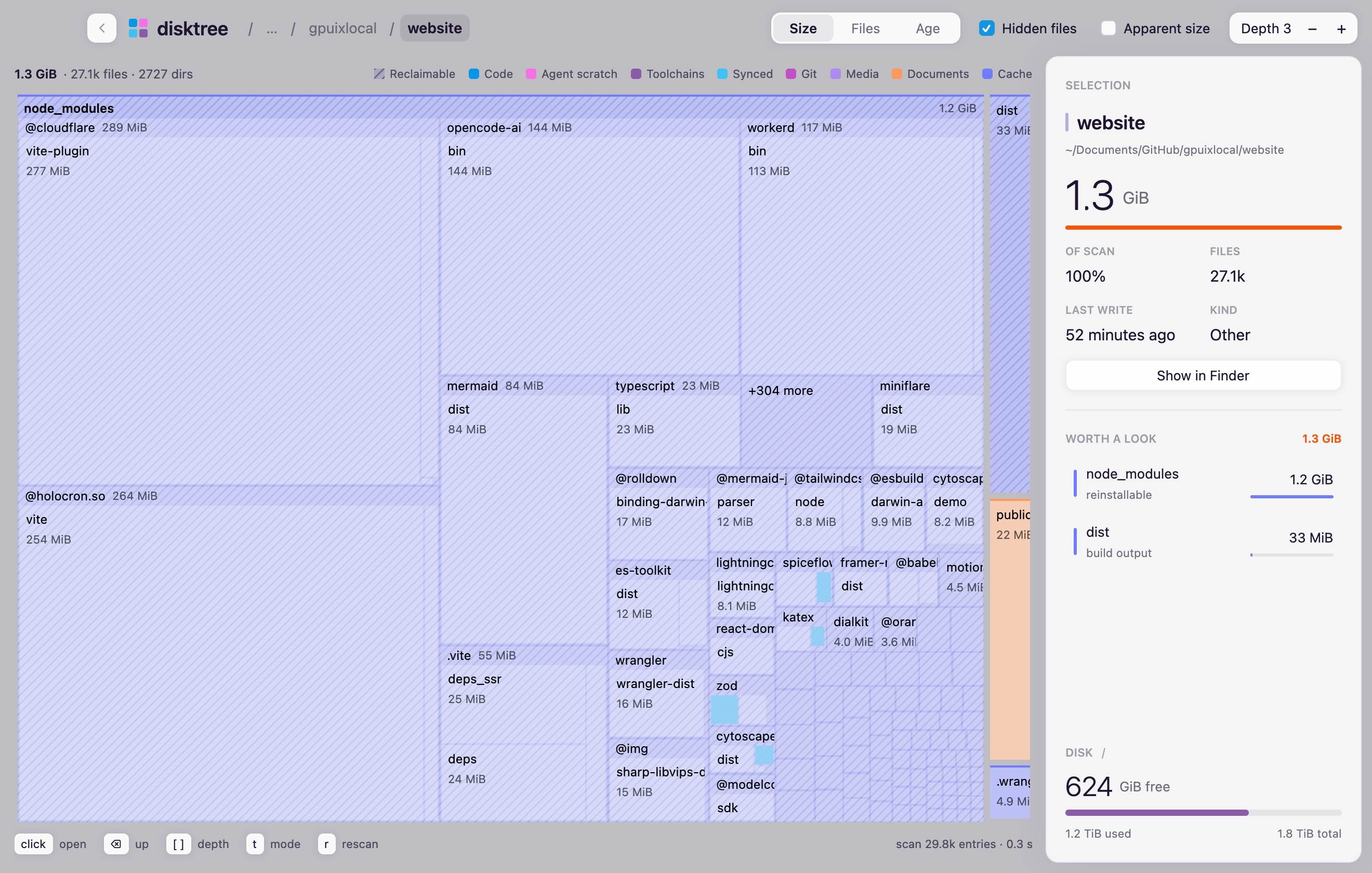
npx disktree            # scan the current directory
npx disktree ~/src      # or any folder
npx disktree /          # the whole disk
Runs on Node 20+ or Bun (bunx disktree). No Electron, no web view: GPUI paints it with Metal.
What it shows
- Tiles sized by disk usage (
st_blocks × 512), coloured by kind: code, agent scratch, toolchains, synced, git, media, documents, cache - Hatched tiles are reclaimable: caches, build output,
node_modulesbeside apackage.json, trash - Worth a look ranks the largest things that could go
- Disk shows free space on the volume
Keys
| Input | Action |
|---|---|
| click a folder | open it |
| click a file | select it |
⌫, Esc, back button |
up one level |
[ ] |
change depth |
t |
Size, Files, Age |
r |
scan again |
How it scans
A pool of up to four worker threads walks the tree with synchronous lstat, one volume
only, hardlinks counted once. Each directory keeps its 12 largest files as
tiles and folds the rest into one "N smaller files" tile, which keeps a
full-disk scan in memory. File tiles do not carry directory child lists or
directory-only scan state, so large scans retain fewer objects.
/System/Volumes/Data is skipped when scanning /, since it mirrors /Users
and /Applications.