 Tommy D. Rossi
a53b294401
Tommy D. Rossi
a53b294401
- drop the macOS traffic-light gap when rendering in a terminal (isTerminal() read at render time, it is false before the window opens)
- README: document GPUIX_TERMINAL=1 npx disktree

Session: ses_ea5b59caaffeB65RyySADAVv81
Discord: https://discord.com/channels/1422625037164351591/1562150848904167506

disktree
See what fills your disk. A GPU-rendered treemap of any folder, built with GPUIX. A light, frosted port of tobi/disktree.
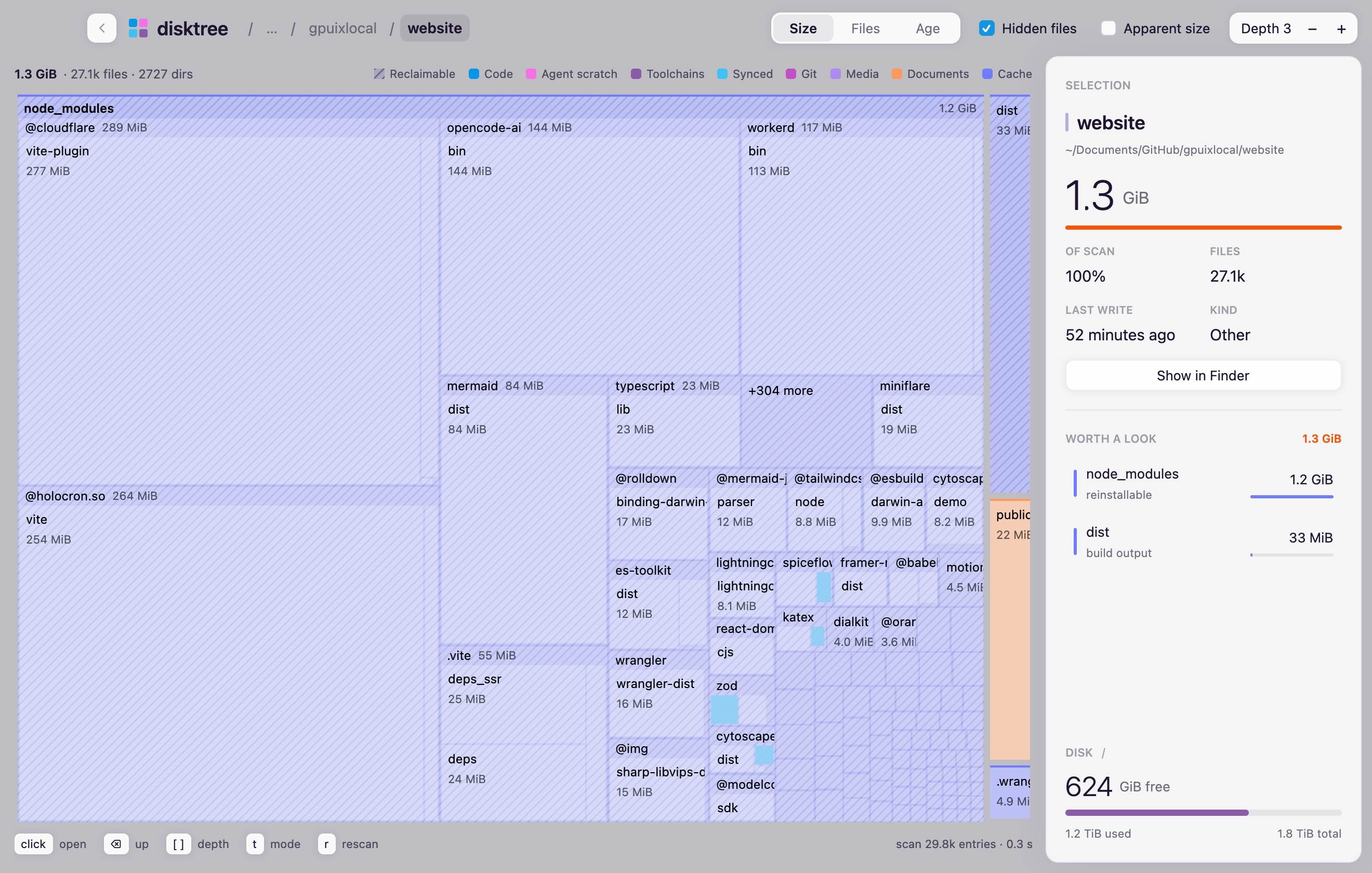
npx disktree            # scan the current directory
npx disktree ~/src      # or any folder
npx disktree /          # the whole disk
Runs on Node 20+ or Bun (bunx disktree). No Electron, no web view: GPUI paints it with Metal.
Run in a terminal
GPUIX_TERMINAL=1 npx disktree ~/src
Renders inside the terminal instead of opening a window. Needs kitty or Ghostty,
on macOS or Linux. Works over ssh -t. Works for every GPUIX app, see
Run in a terminal.
What it shows
- Tiles sized by disk usage (
st_blocks × 512), coloured by kind: code, agent scratch, toolchains, synced, git, media, documents, cache - Hatched tiles are reclaimable: caches, build output,
node_modulesbeside apackage.json, trash - Worth a look ranks the largest things that could go
- Disk shows free space on the volume
Keys
| Input | Action |
|---|---|
| click a folder | open it |
| click a file | select it |
⌫, Esc, back button |
up one level |
[ ] |
change depth |
t |
Size, Files, Age |
r |
scan again |
How it scans
A pool of up to four worker threads walks the tree with synchronous lstat, one volume
only, hardlinks counted once. Each directory keeps its 12 largest files as
tiles and folds the rest into one "N smaller files" tile, which keeps a
full-disk scan in memory. File tiles do not carry directory child lists or
directory-only scan state, so large scans retain fewer objects.
/System/Volumes/Data is skipped when scanning /, since it mirrors /Users
and /Applications.